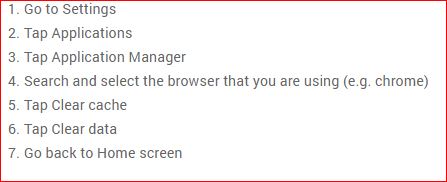
Images are still broken not complete when playing animations in both mobile browsers.
Tim
Images are still broken not complete when playing animations in both mobile browsers.
Tim

did you try and see if its a webgl problem i had that problem and it fixed any loading problem

How do you check that out and how do you fix it?
Tim
this is what i done for chrome watched the video and done what they said the loading problems went away https://www.google.com/#q=webgl+hit+a+snag+fix&kpvalbx=1 but there is a new update coming out today could just wait for that and see if that helps

Today's update won't have any impact on whatever issue is being had here. Maps runs fine on modern mobile hardware, such as the Galaxy S5+ and iPhone 5+. Compatibility varies upon whether or not your mobile hardware has a good enough GPU to drive Maps.
However, the WebGL video you linked to may be helpful in this scenario.
it did help and the update you done before with the add on somehow loaded faster but it worked
I enabled for webgl in latest version of Firefox mobile browser and I let it run through the mrms radar data animations for 5 min.. I'm still only getting a quarter of the frames to show data on the map. Just to let you know I'm running a Samsung S7 Edge phone on 60 mb cable connection.
Tim
Things are starting to make more sense. You're attempting to animate ~6 hours of radar data on a mobile device. We can't cache all of that in the browser on a mobile device, so there's a limit set in the Maps code to prevent that. If we allow Maps to cache every single frame, eventually your browser runs out of memory and crashes. So instead, we only cache the last ~25 frames. I can try to increase this, but we're bound to hit an iPhone or Android device limit that leads to browsers crashing during animation.
The long-term solution is to add a way to only animate X number of frames. This way you can loop over the last 25 frames, the first 25 frames, or any other 25 frames in between.
PCs and Macs aren't bound by this restriction because they have enough available memory.
have you tried using the samsung Browser on the phone the benchmark is better and will work better with websites maps loads everything on my phone just like it would on a computer 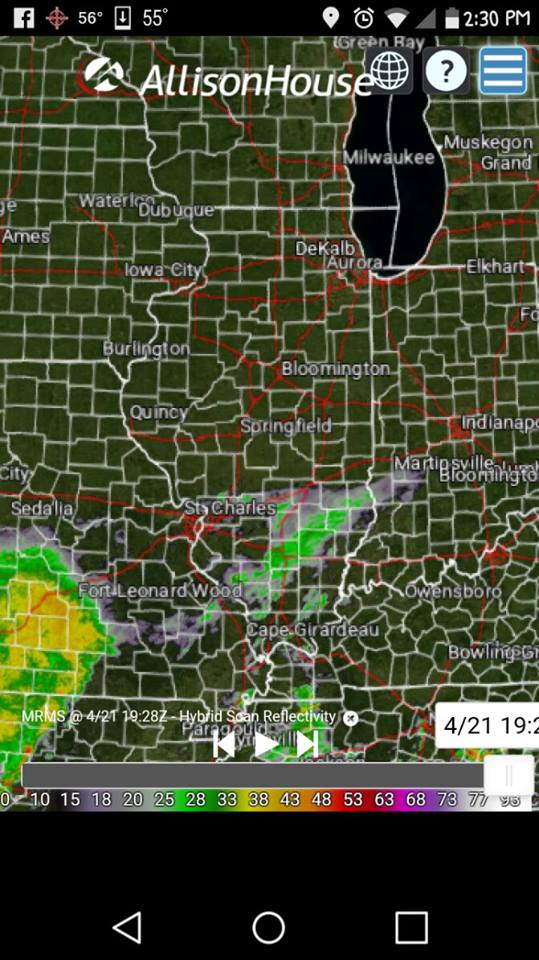
A little bit better on stock browser but still very choppy incomplete frames.
Tim
when was that last time you checked the firmware i just checked a site out and that's a know issue with them phone try updating firmware and this after